📷 Photo guide — how to take a photo that passes official checks

Shoot it loose — we crop it to the official standard
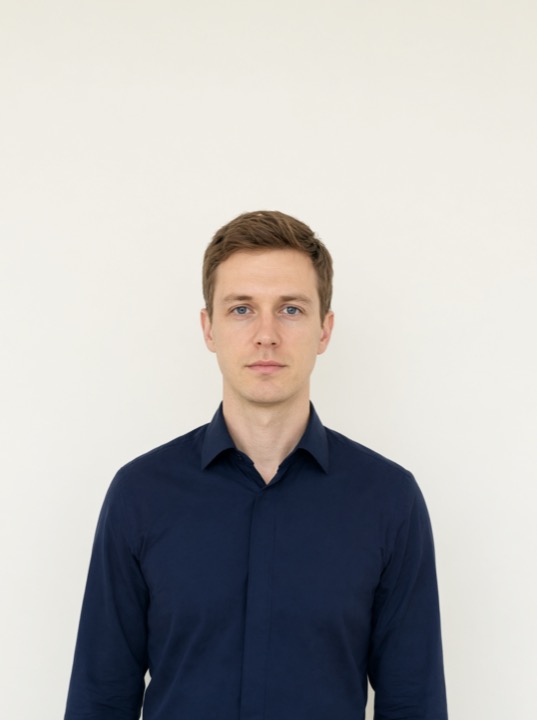
shoot with space above the head and both shoulders fully visible

✓ Shoot it like this: full head with space above, both shoulders fully visible
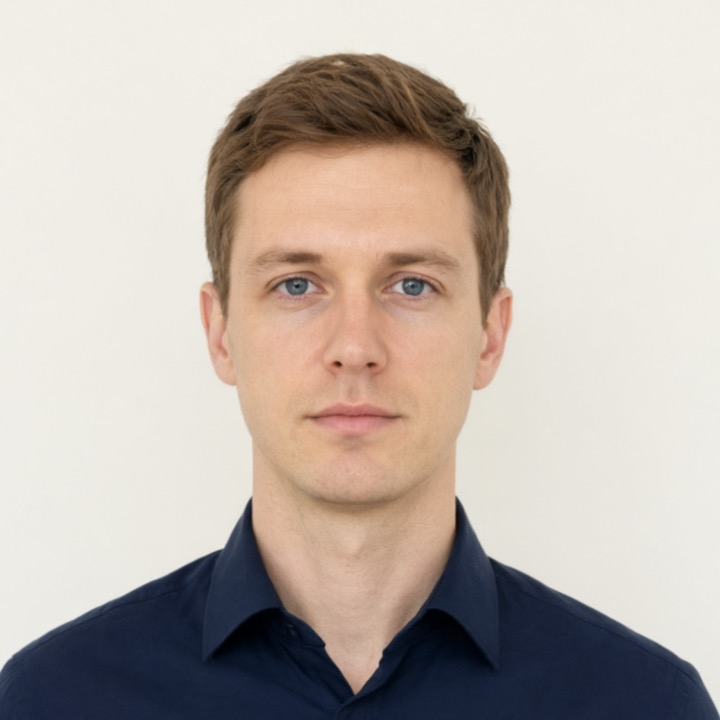
after auto-crop: head height 50-69% of photo height

→ We auto-crop to the official standard (head height 50-69% of the photo)

The official US, UK and Canada government guides agree on these rules. Each one maps to an automatic check on upload:

  1. Camera & equipment
    Any modern phone (5MP+) or digital camera works. Best results: have someone else take the photo, or use a tripod. Selfies cause tilted heads and blur — we reject photos where the head is tilted more than 10°.
  2. Distance & framing
    Stand about 1–1.5 m from the camera (roughly an arm's length and a half). Your whole head and shoulders must be in frame: too far away makes your face too small, too close can cut off your hair (both are rejected automatically).
  3. Face the camera
    Look straight into the lens: head level, face forward, both eyes open, mouth closed, neutral expression (no smile, no frown). Turned heads and tilted chins are rejected.
  4. Lighting (most important)
    Face a bright, even light source — a window works well. No backlight, no strong shadows on your face, no glare. Dark or uneven lighting is the #1 rejection reason.
  5. Background
    Plain white or light-coloured wall or sheet, about half a metre behind you. A compliant background leaves the photo pixel-identical; a fixable one gets standardized to white (disclosed on the result page). Photos with obvious facial shadows or complex backgrounds are rejected — see the examples.
  6. Clothing
    Dark or medium top that contrasts with the background. Avoid white, busy patterns and fine stripes.
  7. Hair
    Keep hair off your face and eyes. Make sure the top of your hair is fully visible with a little space above it — photos where the head touches the top edge are rejected.
  8. Glasses
    Remove glasses and sunglasses for passport photos. Sunglasses are detected and rejected automatically.
  9. Recent photo
    Use a photo taken within the last 6 months (official US / UK / Canada requirement).
  10. No editing
    Do not edit or filter the photo before uploading: US, UK and Canada officially forbid software- or AI-modified photos. Beauty filters break our automatic compliance checks.

Automatic checks on upload

Problem detectedFix (rule above)
Blurry / low detailHave someone take it, hold steady (#1, #2); good lighting (#4)
Dark, uneven light, backlight, shadowsFace the light, avoid backlight (#4)
Tilted head / turned face / chin up or downStraight-on, level head (#3)
SunglassesRemove them (#8)
Face too small / too far awayMove closer, shoulders in frame (#2)
Head or hair cut off at the topMove back, full head with clear space (#2, #7)
Uneven shoulders / body turnedStand straight, face the camera squarely (#3)

See rejected-photo examples

Canada — strictest rules, please read

Canada officially requires an unaltered photo: no background changes, no shadow removal, no brightness/contrast edits, no retouching. The white background must come from your camera (plain white/light wall or sheet, no wall shadows) and your face must have no obvious shadows. Photos we cannot process are rejected with the reason and the official rule quoted. We deliver digital renewal photos only (3:2 portrait 1,200×1,800); the renewal form also asks for studio/photographer name, address and date. Paper applications (new passports, children) need an in-store commercial photographer (Walmart / Shoppers / London Drugs, ~C$15-25).

Official references: US travel.state.gov | UK gov.uk | Canada IRCC (simplified here).

Zero sign-up · Zero email · Deleted after download